3D Engine Viewer Division
3D Model Engine is an interactive WebGL viewer for exploring a detailed 3D engine model in real time. It features realistic camera control, GSAP-powered explode/assemble animation, label overlays, part inspection, and a clean information panel — built with a modular structure for maintainability and future scalability.
3D Engine Viewer
Development Journey
Core WebGL Architecture
Established the foundation of the 3D Engine Viewer using Three.js. Implemented scene management, renderer optimization, camera system, OrbitControls integration and HDR environment lighting for realistic reflections.
2024
Interaction & Camera Experience
Developed smooth camera transitions, responsive auto-rotation, intelligent auto-framing and viewport adaptation for mobile and desktop devices. Focused on performance stability and fluid user interaction.
2026
Performance Optimization & UI Polish
Refined material rendering, lighting balance and responsiveness. Improved loading workflow, model scaling logic and mobile adaptation, delivering a clean, scalable and production-ready 3D visualization system.
2026
Overview
3D Model Engine is a modular Three.js/WebGL project built to showcase a realistic 3D engine model inside the browser. It combines a clean UI with interactive tooling — camera control, labels, part inspection, and animated component separation.
The project is structured for maintainability: a model-agnostic viewer core handles rendering and loading, while model-specific logic (explode, UI, naming/description mapping) lives in dedicated modules.
How it works
The entry page loads Three.js modules via an import-map and mounts the viewer runtime. The core engine initializes the scene, configures camera + OrbitControls, applies HDRI lighting for realistic reflections, and loads GLTF/GLB assets (including DRACO-compressed models when needed).
On top of that, the model module attaches interactive features: label overlays, picking/focus behavior, an info panel with human-readable names and descriptions, and GSAP-driven explode/assemble animations.
Key features
Real-time WebGL rendering, OrbitControls camera navigation, HDRI environment lighting, and robust GLTF/GLB loading — designed to feel smooth, stable, and visually clean.
Interactive layer: explode/assemble mode powered by GSAP, label overlays, part inspection, focus mode, and an information panel driven by a naming/description mapping system.
Vision
The goal is to evolve this into a reusable 3D viewer foundation — where different models can plug into the same core engine without rewriting rendering logic. The structure is intentionally modular for long-term maintainability and scalability.
Next steps can include multi-model selection, guided hotspots, material/environment presets, improved mobile UX, and a potential migration to React + TypeScript — while keeping performance and clarity as priorities.
Engine gallery
This section presents the engine project as a technical visual experience focused on real-time rendering, system clarity, and interactive inspection. The goal is to transform mechanical complexity into a clean, structured, and visually engaging web presentation.
Through detailed rendering, component hierarchy, exploded views, and focused interaction states, the project demonstrates how engineering content can be presented in a premium digital format while maintaining smooth performance and strong visual control.
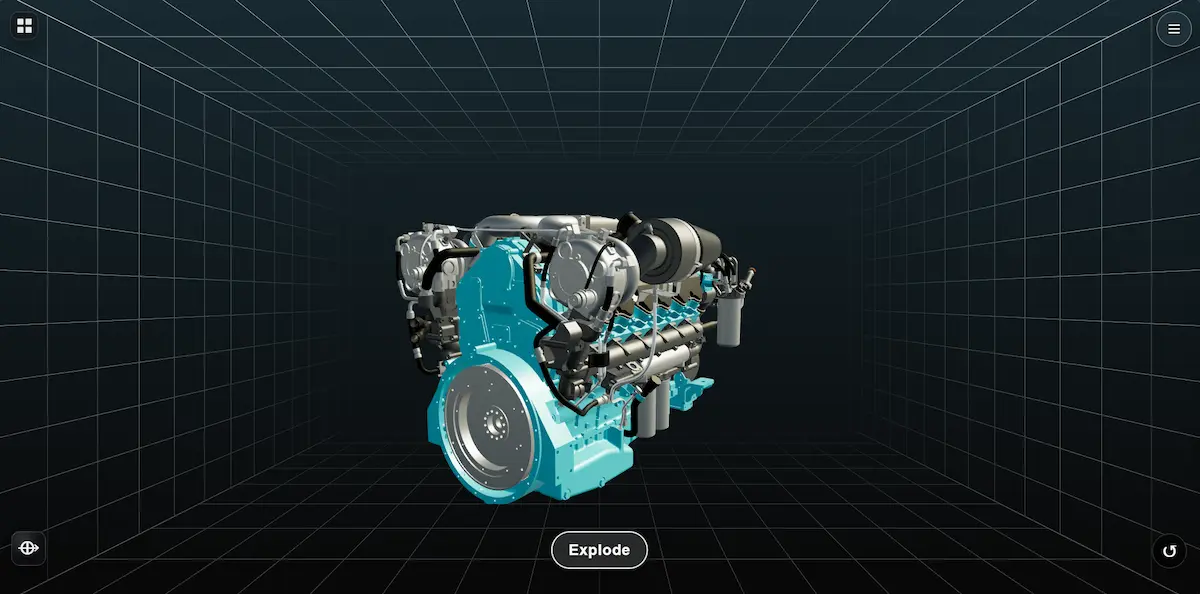
Realtime rendering
This stage focuses on high-fidelity three-dimensional rendering inside a controlled digital environment. Physically balanced materials, refined lighting behavior, and stable scene composition help the engine feel immersive, readable, and technically polished.
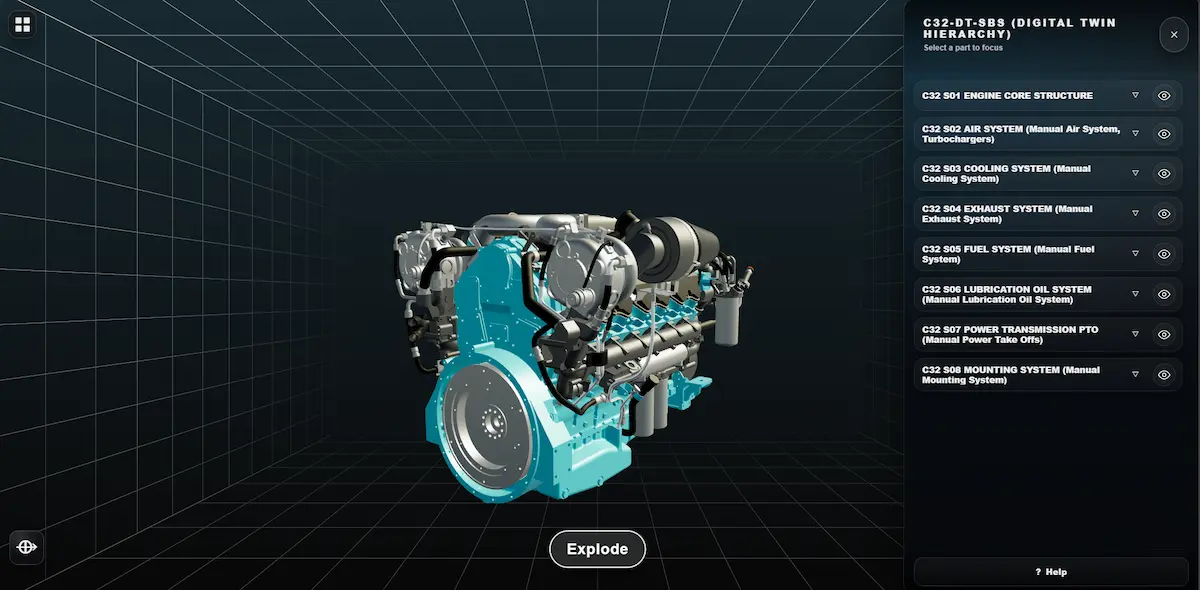
System hierarchy
The digital twin layer organizes complex engine assemblies into clearly structured modules. Each subsystem can be approached through an intuitive interface that supports inspection, orientation, and controlled interaction without losing visual consistency.
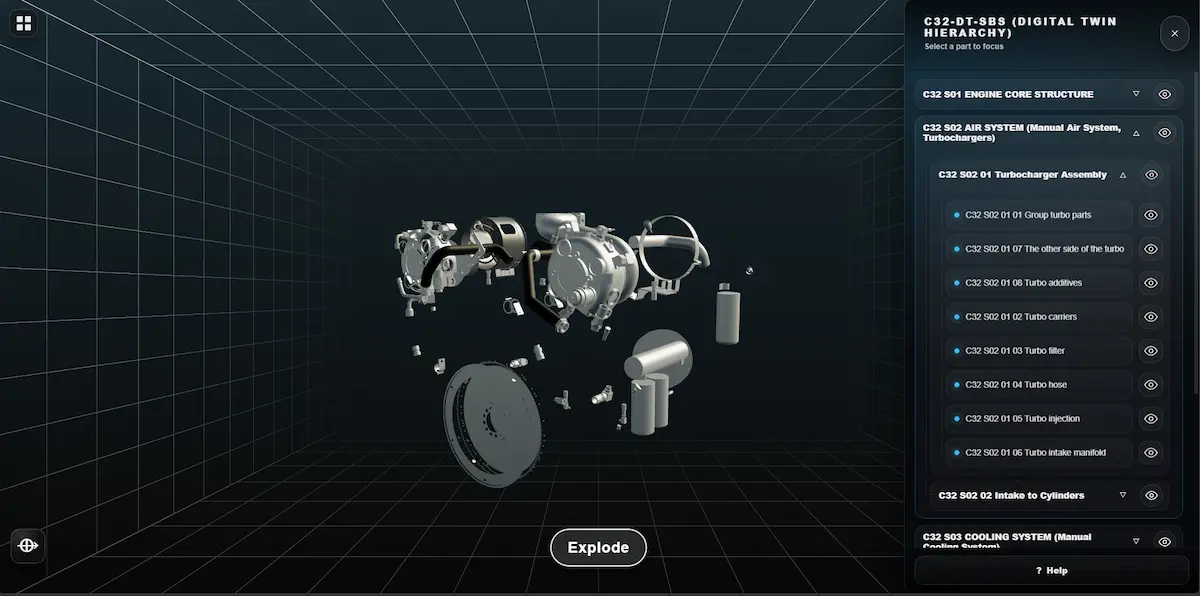
Exploded view
The exploded view reveals internal relationships between parts by spatially separating assemblies into readable layers. This allows users to better understand component structure, connection logic, and the architecture of the engine while preserving smooth real-time interaction.
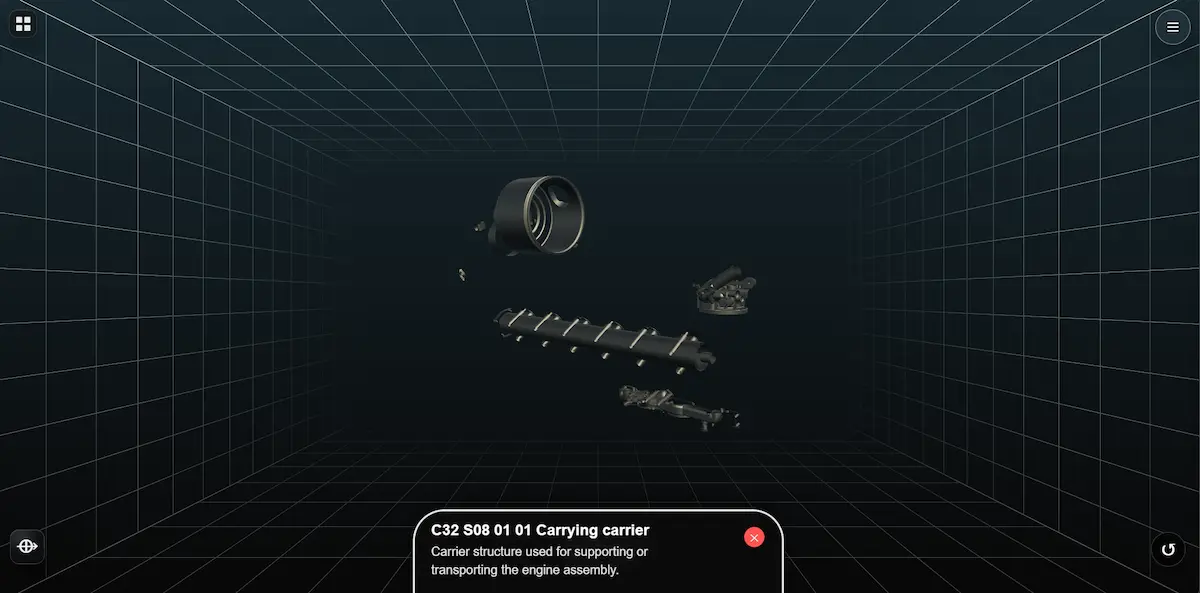
Component focus
Selected elements can be isolated and highlighted to support focused technical inspection. With structured annotations and context-driven interaction, the viewer can shift attention from the full assembly to individual components while keeping the overall system easy to understand.