EcoCube 3D Viewer WebGL
EcoCube 3D Viewer is an interactive, real-time web experience that lets users explore a 3D model directly in the browser - rotate, zoom, and inspect details with smooth performance and a clean UI.
EcoCube
Timeline
Project Setup
building the foundation of EcoCube
Set up the project structure, viewer layout, and base rendering pipeline - focusing on clean UI, responsive layout, and a stable 3D scene setup.
2026
3D Controls & Interaction
refining interaction for EcoCube
Implemented smooth orbit controls, zoom, and user-friendly navigation - ensuring that the model feels responsive and intuitive across devices.
2026
Performance & Visual Polish
optimizing the experience inside EcoCube
Improved loading flow, lighting/scene presentation, and overall performance - with the goal of keeping the viewer fast, smooth, and visually clean.
2026 - now
Overview
EcoCube 3D Viewer is a browser-based 3D visualization project designed to present the EcoCube concept in a modern, interactive way. It combines a clean interface with real-time rendering to make exploring the model feel simple and engaging.
The focus is on smooth interaction, fast loading, and a premium presentation - so the viewer looks sharp on desktop and remains usable on smaller screens.
How it works
The viewer loads a 3D model into a real-time scene, then provides camera controls for rotation and zoom. The UI stays minimal to keep the focus on the object, while animations and transitions keep the experience polished.
Performance is treated as a priority: the scene is kept lightweight, loading is structured, and interactions are tuned to feel smooth and responsive.
Key features
EcoCube 3D Viewer includes real-time rendering, smooth camera controls, responsive layout behavior, and a clean visual hierarchy - designed to feel modern, fast, and easy to use.
The project is structured so it can grow: future additions can include model switching, annotations, hotspots, material toggles, or a guided presentation mode.
Vision
The long-term goal is to make EcoCube feel like a product story - not just a model on screen. That means combining interactive 3D with a strong presentation layer that guides users through details and benefits.
Next steps can include improved lighting presets, environment options, hotspots with descriptions, and performance upgrades - keeping everything lightweight while upgrading visual impact.
EcoCube gallery
This section presents EcoCube as a structured technical product experience, combining real-time visualization, engineering clarity, and interactive presentation. The project is designed to show the system both as a complete product and as a modular infrastructure platform.
Through assembled views, exploded inspection, detailed component focus, and guided subsystem navigation, EcoCube demonstrates how complex marine and structural systems can be communicated in a premium and highly readable digital format.
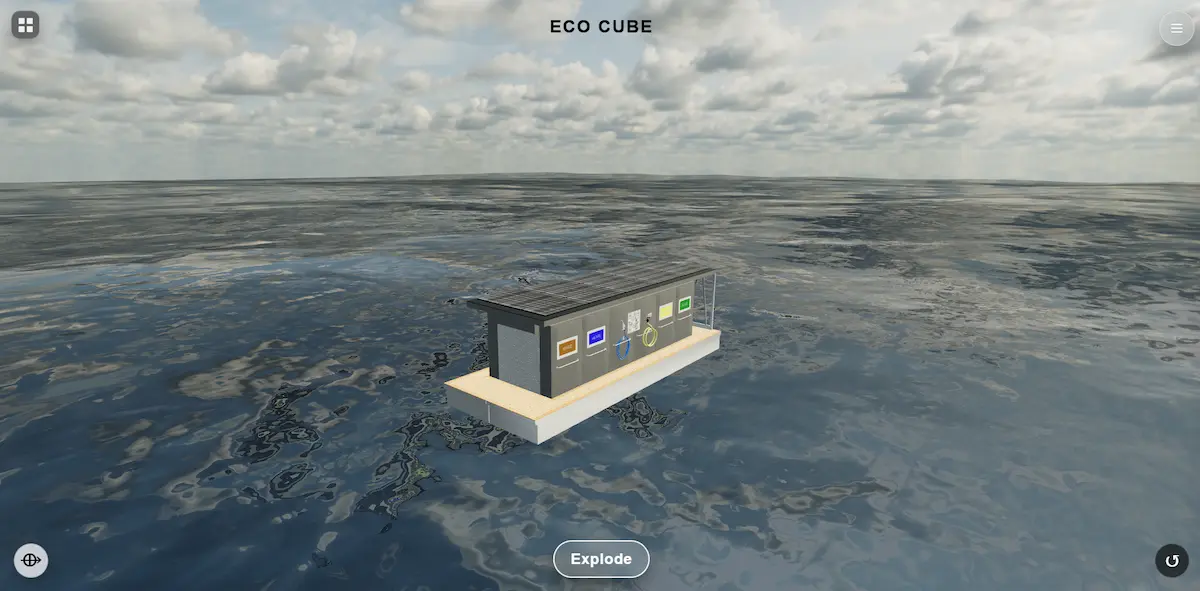
Assembled state
The assembled EcoCube is presented in a realistic marine environment to establish a clear product overview. This state emphasizes structural integrity, spatial proportions, and overall visual balance, giving the viewer an immediate understanding of the platform in its complete form.
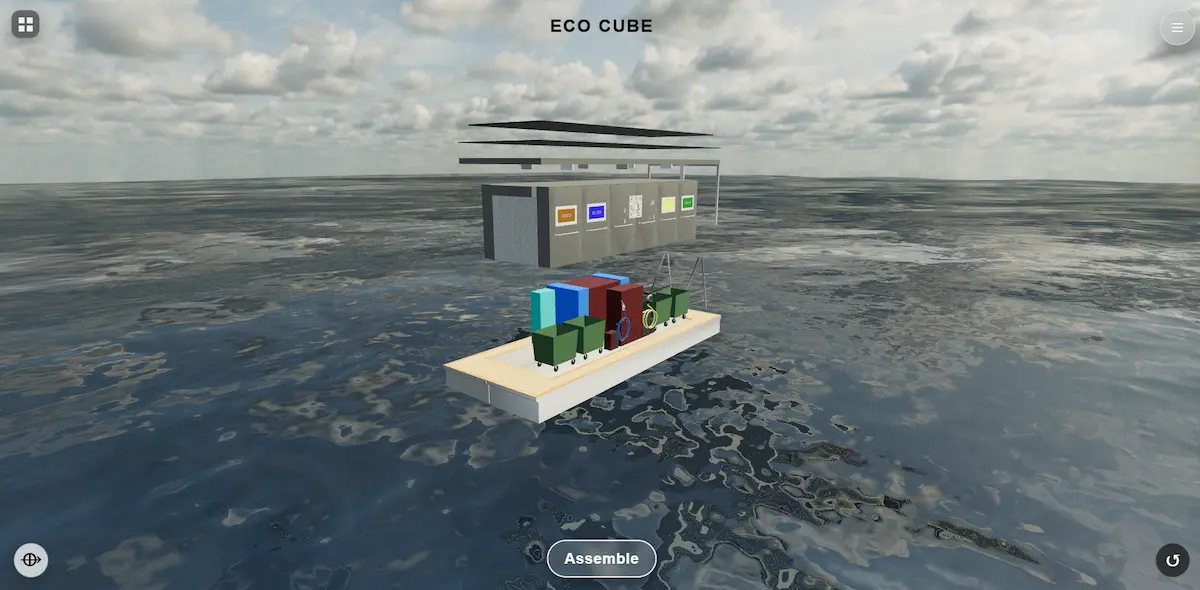
Exploded view
The exploded configuration reveals the internal modular structure of the EcoCube platform. Individual subsystems are separated in space to communicate installation logic, structural relationships, and functional grouping in a much clearer and more analytical way.
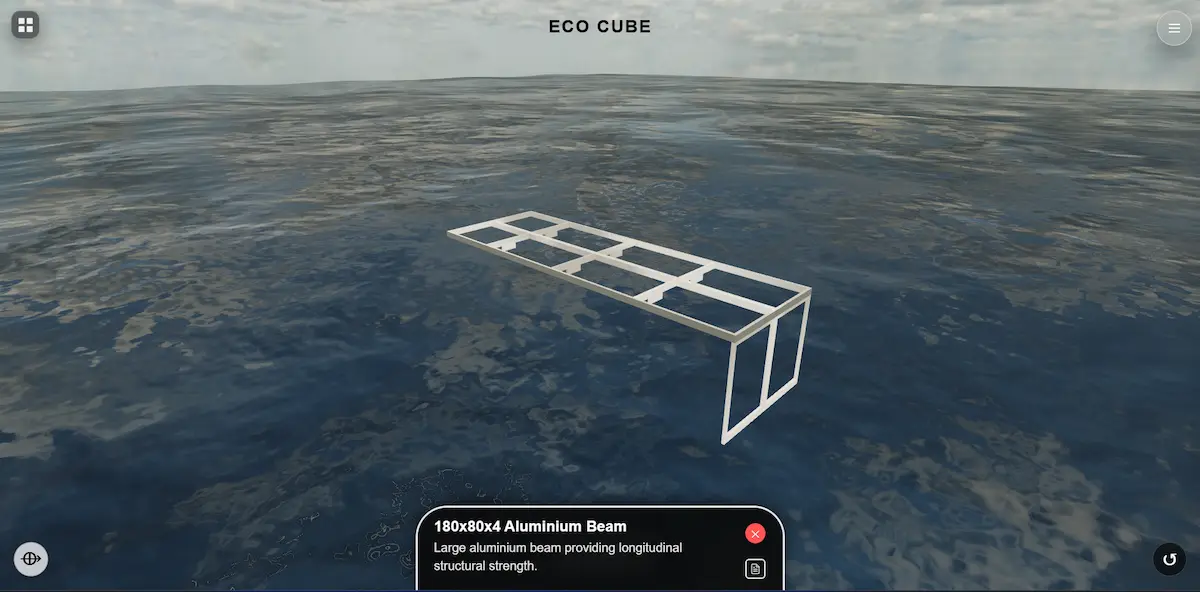
Component focus
This focused view highlights a key structural element within the EcoCube framework. The annotated aluminum beam is presented as an important longitudinal reinforcement component, helping explain rigidity, load distribution, and engineering intent with greater precision.
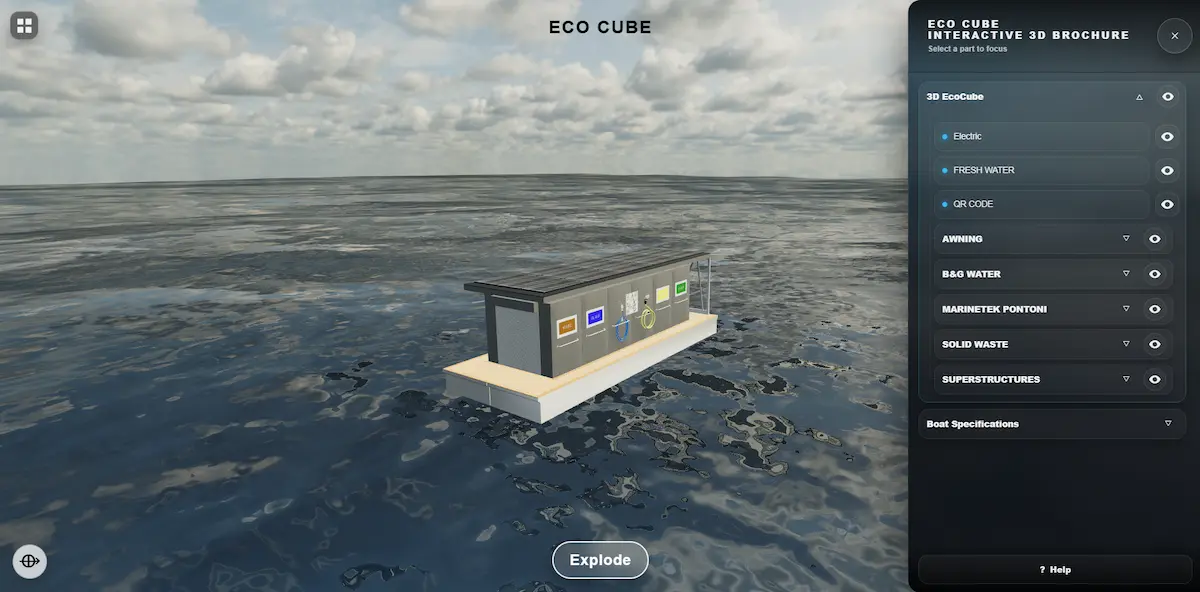
System navigation
The interactive brochure interface allows users to navigate through subsystems such as electrical, freshwater, waste, and superstructure layers. This turns the 3D model into a clear presentation and communication tool that supports both technical explanation and client-ready storytelling.